
N5
Tips on how to operate the N5 terminal
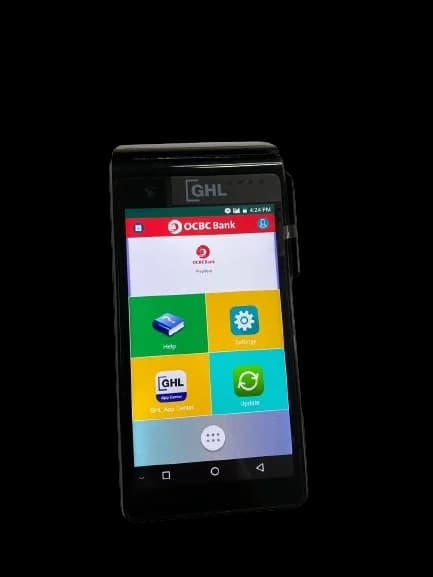
User & Video Guide
This page provides guides and support materials for your in-store payment terminal. Browse the guides below for step-by-step instructions, operational tips, and troubleshooting information for daily transactions.
Manual Printed Receipt (Video Guides)
Sales (Insert)
Sales (Wave)
Sale (QR)
Sale (Dynamic QR)
Void
Settlement
Summary Report
Polling
Print Day Total Report
Print Detail Report
Print Summary Report
Reprint Receipt
Reprint Settlement Report
Request Paper Roll
Digital Printed Receipt (Video Guides)
Sale
Void
Settlement
Detail Report
Day Total Report
Merchant Portal e-Receipt (Payment Transaction)
Merchant Portal e-Report (Day Total Report)
Merchant Portal e-Report (Detail Report)
Merchant Portal e-Report (Settlement)
Notes
For Mobile Terminal
- DO NOT use a mobile charger. You are advised to use only an Original Terminal Charger to charge the terminal.
- DO NOT overcharge the device. Unplug charger from the terminal when the battery level has reached 100%.
- Avoid from using the terminal while it is charging.
Digital Receipt - FAQs
Merchants need to reach out to the Sales team (ADAPTIS-MY-sales@nttdata.com) to enrol in this feature and configure the terminal. You may refer the user guide above.
- Operational Productivity: Streamlines record-keeping processes, providing an organised and easily accessible digital system for both merchants and customers.
- Real-time Tracking: Merchants can monitor transactions in real-time through the Merchant Portal, gaining instant insights into sales.
- Secure Record-Keeping: Provides a secure and easily manageable way for both merchants and customers to retain transaction records digitally.
- Enhanced Customer Convenience: Customers can instantly access digital receipts by scanning a QR code on the terminal screen with their smartphones, ensuring swift access to transaction details.
- Environmental Responsibility: Aligns with eco-friendly practices, contributing to sustainability and reducing the environmental impact of traditional paper receipt practices.
- Government Initiatives: Supports government efforts to advance digitalization and encourages a more sustainable and eco-friendly business environment.
Overall, digital receipts offer a more efficient, cost-effective, and environmentally friendly alternative to traditional paper roll receipts.
In the event of any disruption in the digital receipt network causing failure to display the QR code, the terminal will switch to printing paper receipts. This means that the terminal still requires a paper roll as a backup option.
QR code for customer receipts is valid for 30 days, while the QR code for merchant receipts and reports remains valid for 6 months.
Merchant copy receipts can be retrieved from the Merchant Portal. You may refer to video guide above.
Merchant copy receipts and reports in the merchant portal will be kept for 6 months.
Starting Q3 2024, digital receipts will be mandatory for all of our merchants. We encourage merchants to shift for a greener and more efficient solution. Customers may download the Sales Slip from his/her handphone to view instantly.
You can re-trigger the e-receipts QR page from the Receipt History function under the Admin menu.
Digital receipts are only enabled for card and e-Wallet payments. The e-pay products will still print paper receipts to ensure a secure record of your purchase.
Yes! When a merchant completes a sale transaction or a report, it will show up in the merchant portal immediately.